Paint Strike unblocked: play Paint Strike online free right here in your browser — no download, no sign-up, works on a school Chromebook.
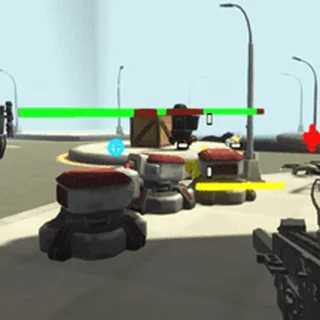
Paint Strike is a fast-paced 3D team shooter where winning is about territory as much as elimination. Instead of standard ammunition, your blasters shoot vivid streams of paint across the arena. Two squads clash in compact multi-level maps, painting floors, ramps, and walls in their team color while tagging opponents to send them back to respawn. When the round timer hits zero, the team that covered more of the battlefield takes the victory.
The pace is frantic from the first second. Splattering the ground gives your team immediate points on the territory meter, but ignoring enemy players lets them quickly overwrite your hard work. Balancing aggressive shootouts with steady ground coverage creates constant back-and-forth momentum across every match.
Movement uses standard first-person controls. Press WASD to navigate the map, tap Space to jump across ledges or clear barriers, and aim with your mouse. Left-click to fire your paintball blaster. When your paint reservoir runs out, tap R to reload.
When the game begins, make sure to click inside the game window so your browser locks the mouse cursor for smooth aiming. Keep an eye on your ammo counter during firefights so you do not get caught reloading in the middle of an open courtyard.
If you enjoy the fast reflexes and spatial awareness of Paint Strike, check out Tunnel Rush for high-speed obstacle dodging in a 3D tube, or explore Bad Ice Cream for classic grid-based arena battles where controlling the map layout is key.
Paint Strike runs entirely in your desktop browser using WebGL technology. Because precise mouse aiming and simultaneous movement are essential, a keyboard and mouse setup offers the smoothest experience.
Paint Strike runs in an ordinary browser tab from tombofthemask.net, with nothing to download or install, so it plays on most school Chromebooks and work computers. If a network filter blocks the site, only that network's administrator can change it.
The goal is to cover more of the arena in your team's paint color than the opposing squad before the match timer expires.
Move with WASD, aim with the mouse, left-click to fire paint, press Space to jump, and press R to reload your paint blaster.
Clicking inside the game frame locks the cursor so you can freely rotate your camera and aim in 3D without the mouse leaving the window.
Yes, Paint Strike runs smoothly in modern desktop and laptop web browsers with no additional downloads or plugins required.
 Merge Cakes
 Block the Pig
 Stickman Parkour 3
 Super Falling Fred
 Stickman Archers Waves 9033258f
 Stickman Fight Ragdoll
 Stickman Fighter Epic Battle
 Bad Ice Cream 3
 Jungle Bubble Shooter Mania
 Johnny Trigger Action Shooter
 Basketball Legends 2020
 Super Tunnel Rush
 Bad Ice Cream
 Bad Ice Cream 2
 Scary Maze
 Snake vs Human
 Dinosaur Game
 Doodle Jump
 Tunnel Rush
 Crossy Road
 House Of Hazards
 Big Tower Tiny Square 2
 Big Neon Tower vs Tiny Square
 Level Devil
 OvO Classic
 OvO Dimensions
 Stickman Hook