



This is Tomb of the Mask unblocked: the full game loads straight from tombofthemask.net in your browser, so you can play Tomb of the Mask online free on a school Chromebook, a laptop or a phone with no download and no sign-up.
Tomb of the Mask: a maze you cross at full speed
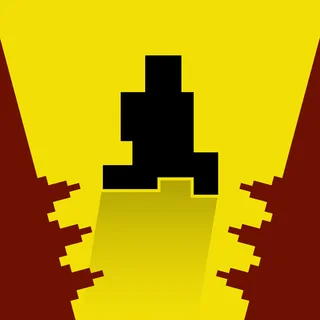
Tomb of the Mask started as an iPhone game from Happymagenta in 2016 and looks like it escaped from a 1980s arcade cabinet: a yellow pixel mask, purple walls, black background, everything drawn in four colors. The hook is the movement. You do not steer. You press a direction and the mask flies that way until a wall stops it, so every level is a chain of wall-bounces you plan two or three moves ahead. Miss the plan and you slide straight into a row of spikes.
The build on tombofthemask.net is the WebGL version of that game, served from this domain, so it loads inside the page with nothing to install. Stage mode gives you a map of short levels with three stars each; Arcade mode is one endless tomb that keeps scrolling upward, and the score is how far you climb before it catches you. A level takes about twenty seconds, which is why the game is easy to pick up on a Chromebook between two other things.
Controls & mechanics
| Action | Control | Purpose |
|---|---|---|
| Dash | Arrow keys or WASD | One press sends the mask sliding in that direction until it hits a wall; you cannot stop midway |
| Swipe | Drag with the mouse or a finger | Same as a key press: the direction of the swipe is the direction of the dash |
| Menu | Shop / Map / Arcade buttons | Shop spends coins on masks, Map opens the stage levels, Arcade starts the endless climb |
Getting further up the tomb
- Look at where you will stop, not where you are going: Every dash ends at a wall. Before you press, find that wall and check what sits next to it. If a spike row touches the landing spot, the next dash from there is already decided for you.
- Use the walls as brakes in Arcade mode: In the endless climb you want to go up, but a long vertical dash can throw you past the safe ledge into a trap. A short sideways hop first often leaves you on a wall where the next upward dash is safe.
- Clear the dots on the way, not at the end: In Stage mode the dots are laid along a route the designer had in mind. If you find yourself doubling back for a leftover dot, you took a wrong turn earlier; restart and follow the trail.
Key features
- One-press movement: No analog steering, no jump timing: a single press per dash. Skill is in reading the maze, not in reflexes.
- Two modes: Stage mode is a map of hand-built levels with stars to earn; Arcade mode is an endless procedurally built tomb that gets faster the higher you climb.
- Masks with perks: Coins collected in levels buy new masks in the Shop, and each one changes how a run feels — a shield, more coins, a slower start.
Game info
- Title: Tomb of the Mask
- Developer: Happymagenta
- Category: Mazes and Arcade
- Platform: Web browser (HTML5)
- Type: Arcade maze · single player · Stage and Arcade modes
Pro tip: Bats move along a fixed line and spikes never move. When a bat guards a corridor, dash somewhere safe and wait one beat for it to pass — the mask sits still on a wall for as long as you like, and there is no clock in Stage mode.